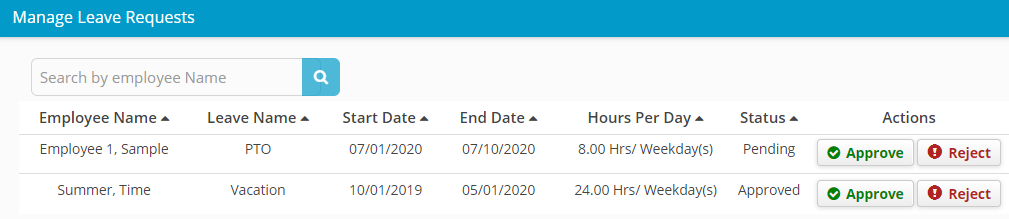
Approve/Reject Employee Leave Request
1. Login to Hour Timesheet
- Navigate to Accounting/Leave menu
3. Click the Leave Request tab
- Update the Date Selection field to the appropriate dates (can be multiple months, but default is current month)
- Click Approve to notify that employee leave request has been “approved”
- Click Reject to notify that employee leave request has been “rejected”